What Is the Fastest Way to Complete a GoHighLevel CRM Setup?
The fastest way to complete a GoHighLevel CRM setup is to follow a phased implementation model that puts core infrastructure before advanced automation. Configure your business profile, connect your domain, verify your sending channels, and clean your contact data before you build complex workflows. This foundation prevents duplicate records, missed triggers, and reporting gaps later.
Once your foundation is stable, map your sales stages and connect your calendar integrations. GoHighLevel relies on accurate stage movement to trigger follow up tasks, reminders, and appointment sequences. If the pipeline does not reflect the real sales conversation, your team will stop trusting the CRM.
The final phase is controlled testing with a small batch of real or test leads. Submit forms, book appointments, reply to messages, move opportunities between stages, and confirm every notification fires correctly. Professional implementation teams can often compress the build into ten to fourteen business days because the sequence is planned before configuration starts.

How Should You Structure Pipelines During GoHighLevel CRM Setup?
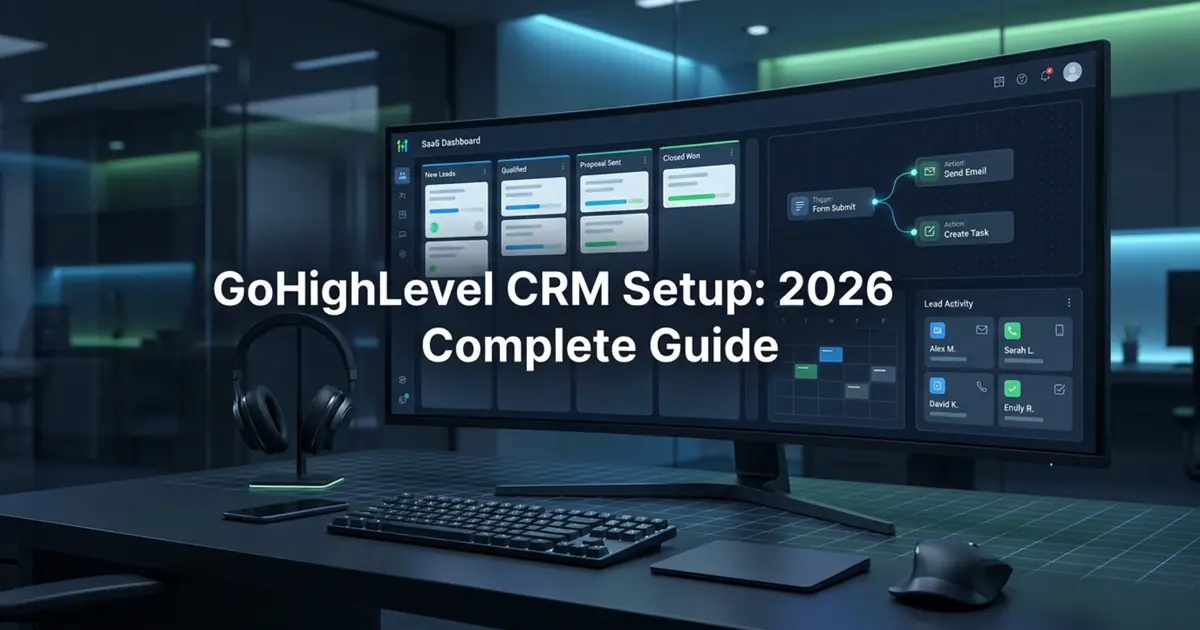
You should structure your GoHighLevel pipelines to mirror your actual sales conversations, not your internal department names. Each stage must represent a clear commitment from the prospect, such as a booked call, a proposal sent, or a contract signed. Vague stages like nurturing or follow up make conversion reporting harder and confuse automation triggers.
Limit each pipeline to six or seven stages when possible. Long pipelines create friction, make deals age unnecessarily, and cause team members to move opportunities inconsistently. If you sell multiple service lines, create separate pipelines only when the sales process truly differs.
Attach specific automation rules to stage changes instead of relying on memory. When a lead moves to Proposal Sent, the system should create a follow up task, send the right reminder sequence, and keep the opportunity visible. The best pipeline setup removes guessing from daily sales operations.
| Pipeline Stage | What It Means | Automation Opportunity |
|---|---|---|
| New Lead | A contact has entered from a form, call, ad, chat, or referral. | Assign owner, send instant SMS and email, notify sales. |
| Contacted | The team has made the first real attempt to reach the prospect. | Start short nurture if there is no response. |
| Appointment Booked | The prospect has selected a time or confirmed a consultation. | Send confirmations, reminders, and prep instructions. |
| Proposal Sent | A quote, scope, or offer has been delivered. | Create follow up tasks and proposal reminder messages. |
| Won or Lost | The deal has a final outcome. | Trigger onboarding, review request, or reactivation sequence. |

Which Automations Deliver the Highest ROI After Setup?
The highest ROI automations after setup are speed to lead responders, appointment confirmation sequences, and post service review requests. These workflows protect the moments where small businesses most often lose revenue. They also create measurable data because every trigger can be tied back to source, stage, and outcome.
A speed to lead workflow should respond immediately when a form, call, or ad lead enters the CRM. Send a short text, send a matching email, notify the assigned owner, and create a task if the prospect does not respond. The message should feel human, direct, and easy to reply to.
Appointment confirmation sequences reduce no shows and protect calendar capacity. A practical setup confirms the appointment, reminds the prospect before the call, and includes an easy reschedule path. Post service review requests then help your local SEO and social proof by asking satisfied customers at the right moment.

What Should Your CRM Setup Checklist Include in 2026?
Your CRM setup checklist should include data cleanup, pipeline architecture, calendar routing, workflow testing, reporting views, and team handover. A checklist that only says build funnel, import contacts, and turn on automation is not enough. The system has to be usable by the people who will run it every day.
Start by cleaning contacts and tagging source information before import. Then define required fields, owners, permissions, calendars, and notification rules. This prevents the common problem where the CRM looks complete on launch day but cannot answer basic questions about lead quality or conversion.
Finish the checklist with live testing and documentation. Every form should create the right contact, every calendar should route to the right person, every workflow should trigger at the right stage, and every team member should know what to update. That is what makes setup operational instead of decorative.
When Should You Hire Experts for GoHighLevel CRM Setup?
You should hire experts for GoHighLevel CRM setup when your team lacks the bandwidth to map workflows, test triggers, and maintain data hygiene. DIY configuration can stretch for weeks because every decision exposes another operational detail. Professional setup compresses that work by turning your sales process into a configured system.
Expert setup becomes especially important when you need custom snapshots, multiple locations, complex permissions, reputation workflows, or API integrations. These builds require more than knowing where the settings live. They require an implementation plan that protects lead flow, sender reputation, customer experience, and reporting accuracy.
The decision comes down to velocity and predictability. If you need a reliable booking engine this quarter, professional setup is usually faster than trial and error. Integral Technologists can audit your current process, define the right scope, and build a GoHighLevel system your team can actually use.

GoHighLevel CRM Setup FAQs
How long does a complete GoHighLevel CRM setup take?
A complete GoHighLevel CRM setup typically takes ten to fourteen business days when handled by an experienced implementation team. The timeline depends on contact list size, pipeline complexity, number of workflows, and integration requirements. A simple business can move faster, while multi location or agency builds need more testing. The important part is not raw speed. It is launching only after forms, calendars, messages, notifications, and reporting have been tested end to end.
What is the biggest mistake teams make during GoHighLevel CRM setup?
The biggest mistake is importing messy contact data before pipeline structure and workflow rules are finalized. Dirty data creates duplicates, incorrect tags, broken triggers, and unreliable reports. Teams should standardize fields, deduplicate contacts, define lead source rules, and create stage definitions before migration. Clean data architecture makes every later automation easier to trust.
Can GoHighLevel replace my existing CRM and marketing tools?
Yes, GoHighLevel can replace many CRM and marketing tools when it is configured to handle pipelines, email, SMS, calendars, forms, landing pages, and reputation management. It should not be treated as a simple subscription swap. You need to map which tools are being replaced, what data needs to move, which workflows must continue, and which reports the team still needs after migration.
Do I need technical skills to manage GoHighLevel after setup?
You do not need advanced technical skills to manage GoHighLevel after setup if the build includes documented workflows and team training. Your staff should be able to move opportunities, update contact notes, monitor tasks, and review dashboards without touching technical settings. The implementation partner should provide a clear handover so non technical operators can run the system confidently.
Sources Used For This Draft
- HighLevel official pricing page for current subscription plan references.
- HighLevel pricing and billing guide for plan structure and usage based charges.
- Google Search Central documentation updates for FAQ rich result guidance.
Book your slot and we will walk through the cleanest next step for your CRM setup.